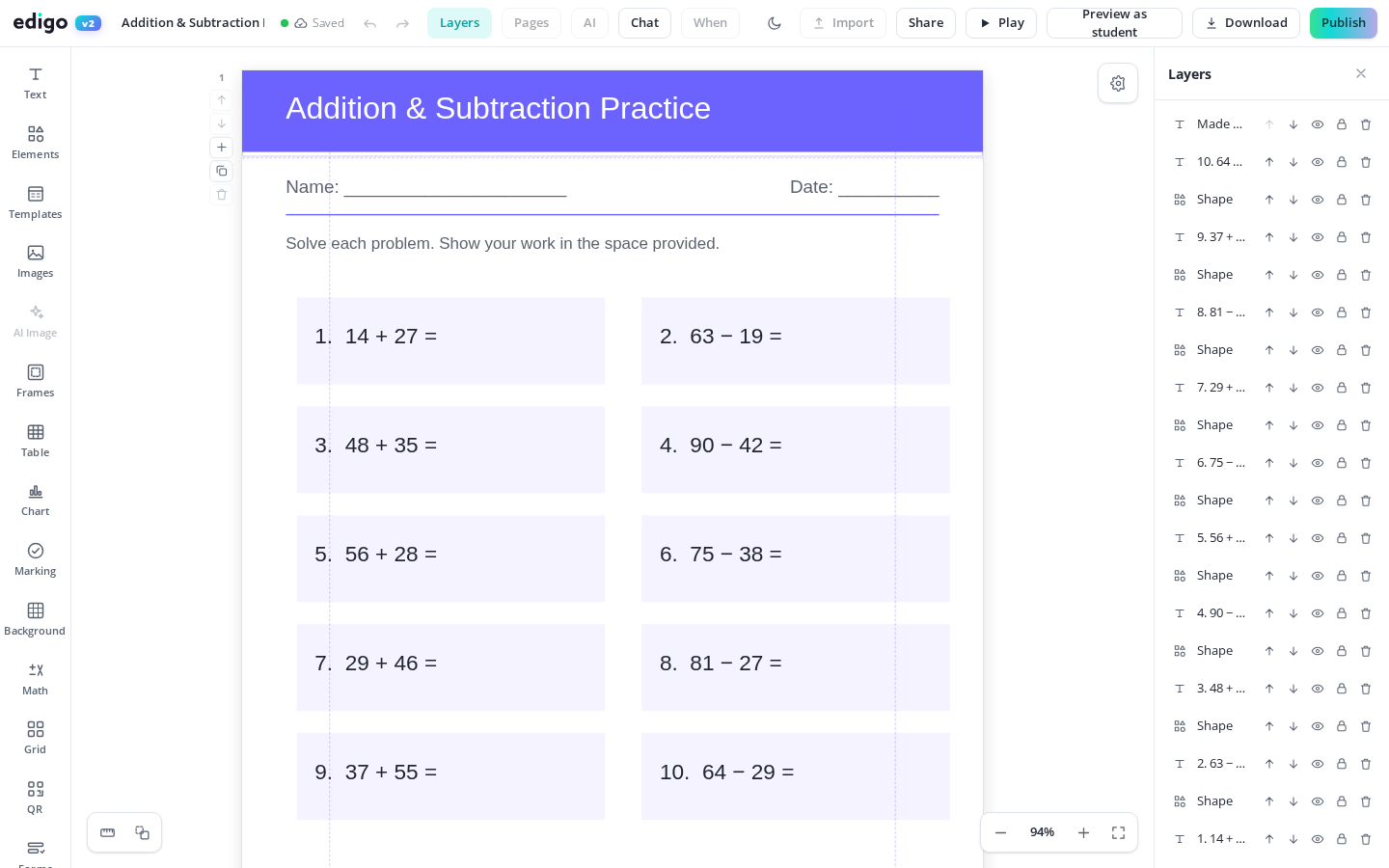
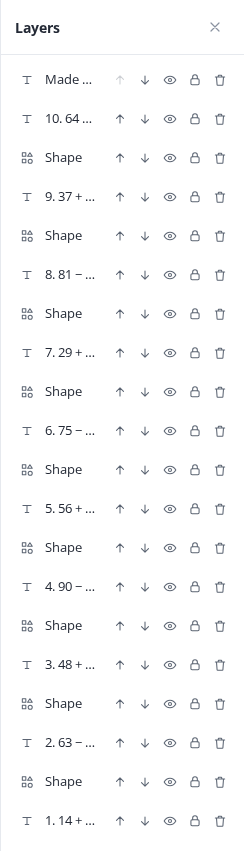
The layers panel lists every object in your design - each text box, image, shape and table - in one tidy sidebar. Select the exact item you want, drag to reorder what sits in front, lock finished pieces and hide anything in the way. Complex worksheets stop being fiddly, and Edigo keeps it free.
Busy designs hide their own contents. The panel shows the full list of objects on the page, so nothing is lost behind a background or under an image.
Stop clicking through overlapping items hoping to hit the right one. Pick the exact text box or shape from the list, even when it is buried under others.
Drag items up and down the list to control what appears in front. Bring a label above a photo or send a shape behind the text instantly.
Lock the background and headers so stray clicks cannot move them, and temporarily hide objects on the page while you work on whatever sits underneath them.
A rich worksheet might hold forty objects: a background, borders, headings, images, question boxes, answer lines. Past a certain point, clicking on the canvas becomes guesswork - you grab the border when you wanted the heading behind it. The layers panel replaces guessing with choosing, which is exactly what makes ambitious layouts practical rather than painful.
Locking and hiding change how you build. Lock the page furniture first and you can rearrange questions freely without knocking the title askew. Hide the decorative layer and the content is suddenly easy to edit. Some teachers even keep answers on their own objects, hidden for the pupil version and shown for the marking copy.
Yes. The layers panel is part of Edigo's free editor for teachers, available in every design from a simple label to a complex forty-object worksheet, at no cost.
Open the layers panel and click the object in the list. It becomes selected on the canvas immediately, no matter how many items are stacked on top of it.
A locked object stays exactly where it is and ignores clicks and drags, protecting finished parts of your design while you keep working around them.
No. Hidden objects stay out of your print and export, which is handy for keeping notes-to-self or answer text in the file without it reaching pupils.
Join thousands of teachers using Edigo — free to start.
Start for free